AI image generation tools are evolving quickly, but many creators still struggle to understand how to actually use them effectively. Nano Banana 2, powered by Google’s Gemini 3.1 Flash Image model, is designed to make AI image creation faster, more controllable, and easier to integrate into creative workflows.
Whether you're a designer, developer, marketer, or content creator, learning how to use Nano Banana 2 can help you generate high-quality visuals, edit images intelligently, and even build AI-powered creative applications.
This guide walks you through how to generate images, edit visuals, use the API, and unlock advanced capabilities of Nano Banana 2, along with practical tips to get better results.
How Do You Generate Images with Nano Banana 2?
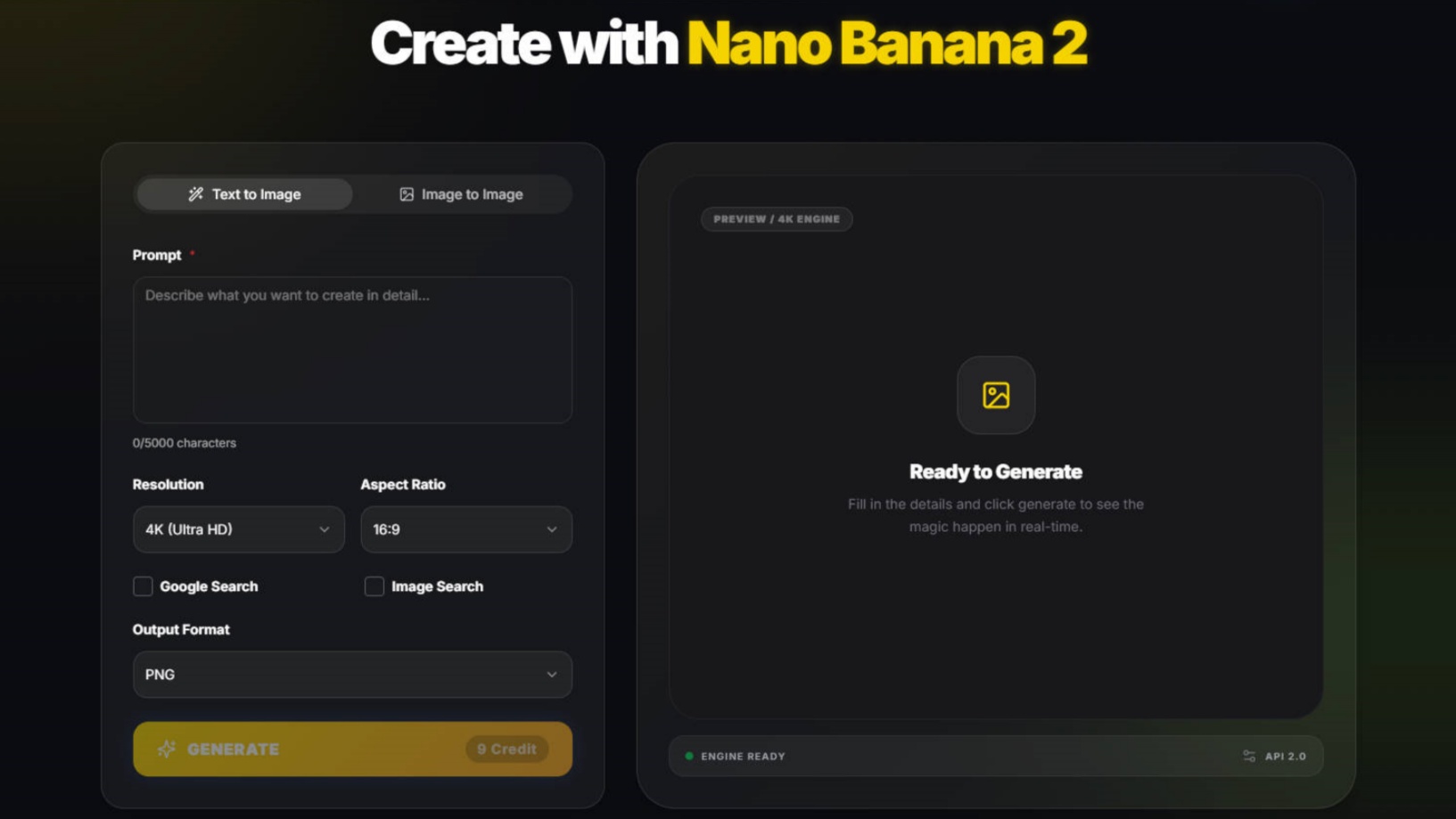
The core function of Nano Banana 2 is turning prompts into images using Google’s Gemini Flash Image model, allowing users to quickly create high-quality visuals from simple instructions.
The basic workflow is simple:
Step 1: Access the Nano Banana 2 Model
Use Nano Banana 2 Generator to run Gemini 3.1 Flash Image model.
This model is optimized for low-latency image generation, meaning it can produce results quickly while maintaining strong visual quality.
Step 2: Write a Clear and Detailed Prompt
The quality of your generated image depends heavily on your prompt. A good prompt typically includes:
subject + style + lighting + composition
Example prompt:
a futuristic cyberpunk street at night, neon reflections, cinematic lighting, ultra detailed
Compared to simple prompts, descriptive prompts help the AI understand visual context, atmosphere, and composition, producing more refined images.
Common keywords that improve prompts include:
cinematic lighting
ultra realistic
detailed textures
dramatic shadows
wide angle shot
These keywords help guide the model toward specific artistic styles or photography aesthetics.
Step 3: Generate and Review the Results
Once your prompt is submitted, Nano Banana 2 generates image variations based on the instructions.
You can then:
download the generated images
refine your prompt
generate additional variations
Because the model is optimized for speed, iteration is quick, allowing creators to experiment with multiple ideas in a short time.
Step 4: Iterate the Prompt for Better Results
Most professional AI creators treat image generation as an iterative process rather than a one-click action.
For example:
First attempt:
a fantasy dragon
Improved prompt:
a majestic fantasy dragon flying above snowy mountains at sunset, epic cinematic lighting, ultra detailed fantasy art
Small prompt adjustments often produce dramatically better visual outcomes.
How Can You Edit Images with Nano Banana 2?
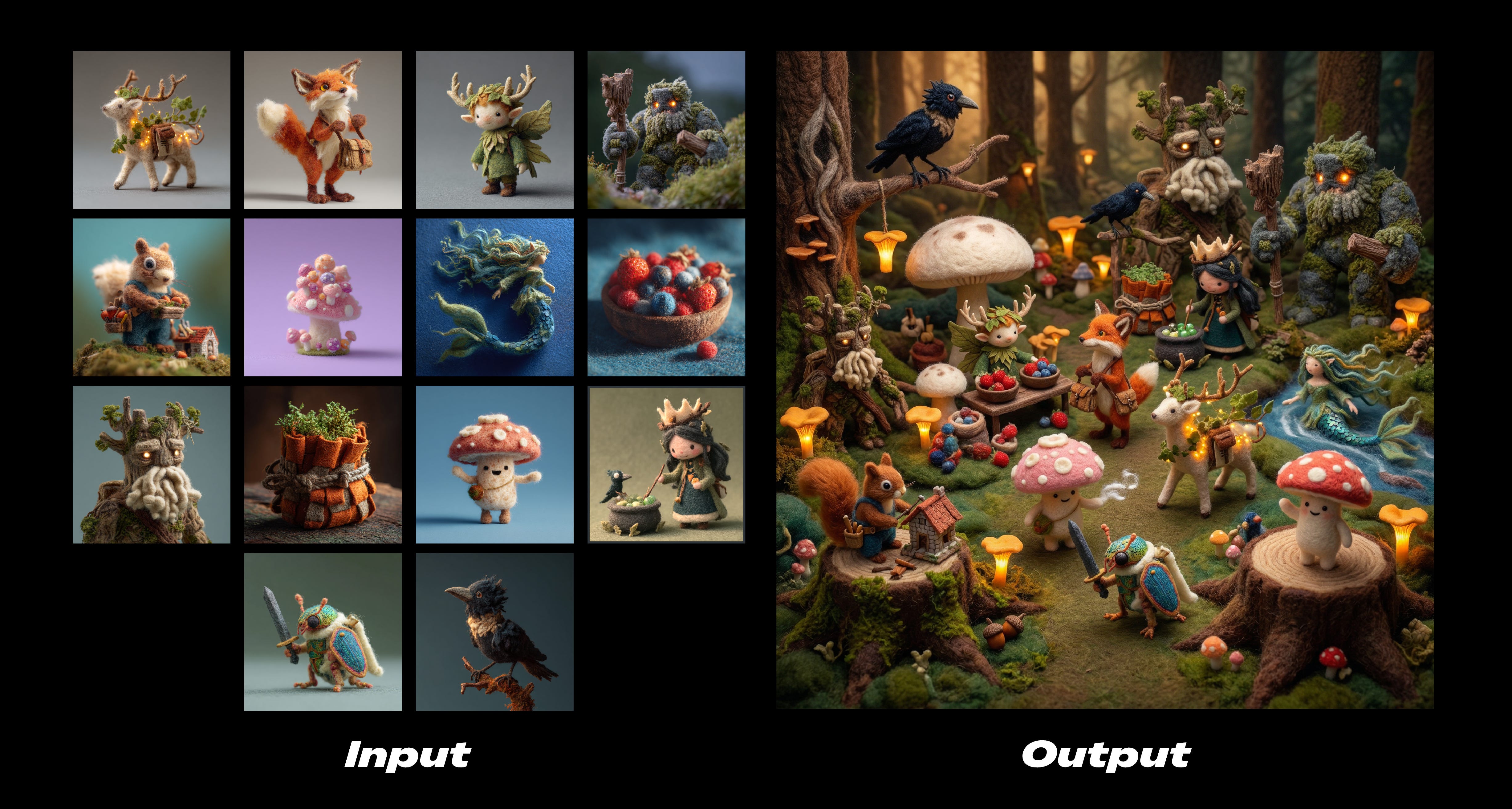
Nano Banana 2 is not only a text-to-image generator, it can also analyze existing images and intelligently modify them.
This makes it useful for design editing, style transfer, and concept iteration.
Style Transformation
Nano Banana 2 can reinterpret images in different artistic styles.
Examples include:
Pixar-style animation
anime illustration
oil painting
photorealistic photography
Example prompt:
transform this portrait into a Pixar-style animated character
Style transfer allows creators to quickly experiment with multiple art directions without recreating the entire design.
Scene Modification
Another powerful feature is editing specific elements of an image.
Example prompts:
add rain and dramatic lighting
or
change the background to a futuristic city skyline
This ability makes Nano Banana 2 useful for storyboarding, marketing visuals, and creative ideation.
How Does Nano Banana 2 Use World Knowledge to Create Better Images?
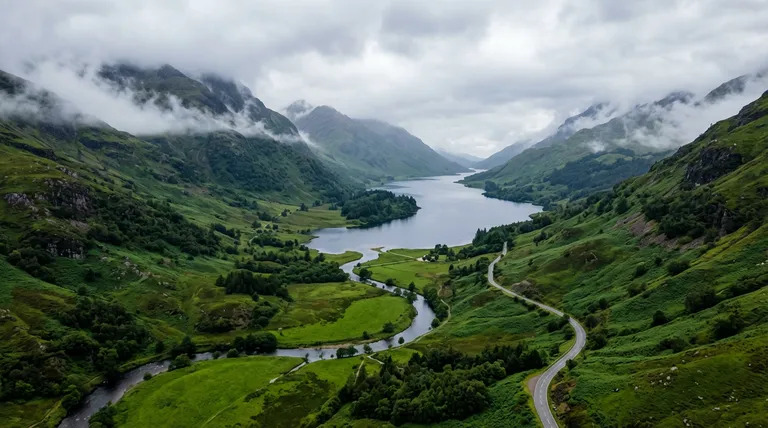
One of the biggest upgrades is that Nano Banana 2 is better at producing images that feel connected to the real world rather than vaguely inspired by it.
Google says Nano Banana 2 leverages Gemini’s broad world knowledge and can use images via web search to create enhanced visuals. That allows developers to generate more detailed depictions inspired by real-life references. To demonstrate this, Google built a sample app called Window Seat, which creates photorealistic window views inspired by global locations and live weather data.
This matters for everyday usage. If you ask for:
a rainy Shinjuku side street
a Santorini hotel balcony at sunset
a Swiss train view in winter
a Seoul convenience store at night
you are not only asking for a style. You are asking for place-specific knowledge. Nano Banana 2 is stronger when the prompt depends on geography, weather, travel context, architecture, or recognizable cultural details. That makes it more useful for travel content, location-based storytelling, background generation, ad creatives, and editorial visuals.
For better results, write prompts that anchor the image in the real world:
mention a city, region, or landmark type
mention time of day
mention weather
mention local design clues or architecture
mention the viewing angle
For example, “a cozy train window view crossing snowy Hokkaido farmland at dawn” gives the model a stronger world frame than “a snowy landscape through a window.”
How Does Nano Banana 2 Improve Text Rendering and Image Localization?
If you build ads, UI mockups, posters, product labels, menus, or app screens, text is often the first place older image models fall apart. Nano Banana 2 is meant to reduce that pain.
Google says Nano Banana 2 improves on earlier Flash image models with more reliable text rendering and supports localization inside images, including generating or translating text in multiple languages directly within the visual. Google’s demo app for this is the Global Ad Localizer, which shows how an ad can be adapted for international markets by rendering translated text while also localizing visual elements.
That is a meaningful upgrade for:
multilingual ad creatives
landing page mockups
app UI generation
storefront banners
social media graphics
packaging concepts
The key is to prompt for both content and context. Do not only say “add French text.” Say what the asset is for.
For example:
create a modern coffee ad poster for Paris, include the headline in French, premium cafe branding, warm morning tone
That gives the model three jobs at once: render the words, fit them into the design, and make the overall visual feel local rather than simply translated.
This is one of the clearest ways Nano Banana 2 can help creators and marketers: you can develop one campaign concept, then adapt it faster for different languages and regions without rebuilding every visual from scratch.
What Creative Controls Help You Get More Consistent Results?

Nano Banana 2 is stronger when you use it less like a toy and more like a controllable production tool.
Google highlights several controls aimed at better consistency and developer-grade workflows. These include native support for additional aspect ratios, including 4:1, 1:4, 8:1, and 1:8; a new 512px resolution option for speed; improved handling of complex instructions; and configurable thinking levels, where higher or dynamic thinking can improve prompt adherence and output quality before rendering.
Those controls matter because different tasks need different settings.
If you are making:
a website hero, you may want a wide ratio
a phone story ad, you may want a tall ratio
a product strip, you may want a panoramic ratio
a fast idea board, you may want 512px for speed
Google also points to subject consistency through examples like its Pet Passport, where a pet keeps the same identity while appearing across different famous landmarks and destinations. That shows why Nano Banana 2 is useful for character-driven content, mascots, branded subjects, or any workflow where the same subject has to remain recognizable across multiple scenes.
For creators, that translates into a simple principle: keep your subject description stable, and vary only the scene, mood, angle, or destination. That usually produces more consistent results than rewriting the whole prompt each time.
How Can You Get Better Results with Nano Banana 2?
While Nano Banana 2 is powerful, achieving high-quality results often depends on how you structure your prompts and generation workflow.
The following techniques can significantly improve your images.
Be Specific in Your Prompts
Vague prompts usually lead to generic images.
Instead of:
a car
try:
a red sports car driving along a coastal highway at sunset, cinematic lighting, ultra realistic photography
Adding details helps the model understand scene context and visual priorities.
Use Photography and Cinematic Language
AI image models respond well to photography terminology.
Examples include:
35mm lens
shallow depth of field
studio lighting
soft natural light
dramatic shadows
Example prompt:
portrait of a woman, 85mm lens, shallow depth of field, soft natural light
These terms guide the AI toward more professional visual composition.
Control the Image Composition
Composition instructions help shape how the image is framed.
Examples:
wide angle shot of a futuristic city skyline
or
top-down view of a workspace desk
This improves consistency and prevents the AI from generating random framing.
Combine Text Prompts with Image References
When consistency matters, such as character design or brand visuals—reference images are extremely helpful.
Uploading a reference image can help:
maintain character identity
preserve design elements
control visual style
This is especially useful for game design, product design, and brand storytelling.
How Do Developers Use the Nano Banana 2 API?
Beyond creative tools, Nano Banana 2 is also designed for developers who want to build AI-powered image generation into applications.
Using the Gemini API, developers can generate images programmatically.
Basic workflow:
1.Get a Gemini API key
2.Choose the Gemini Flash Image model
3.Send a prompt request
4.Receive generated images
This makes Nano Banana 2 ideal for applications such as:
AI design tools
marketing automation platforms
content generation services
creative productivity apps
Because the model is optimized for speed and scalability, it can support real-time image generation workflows.
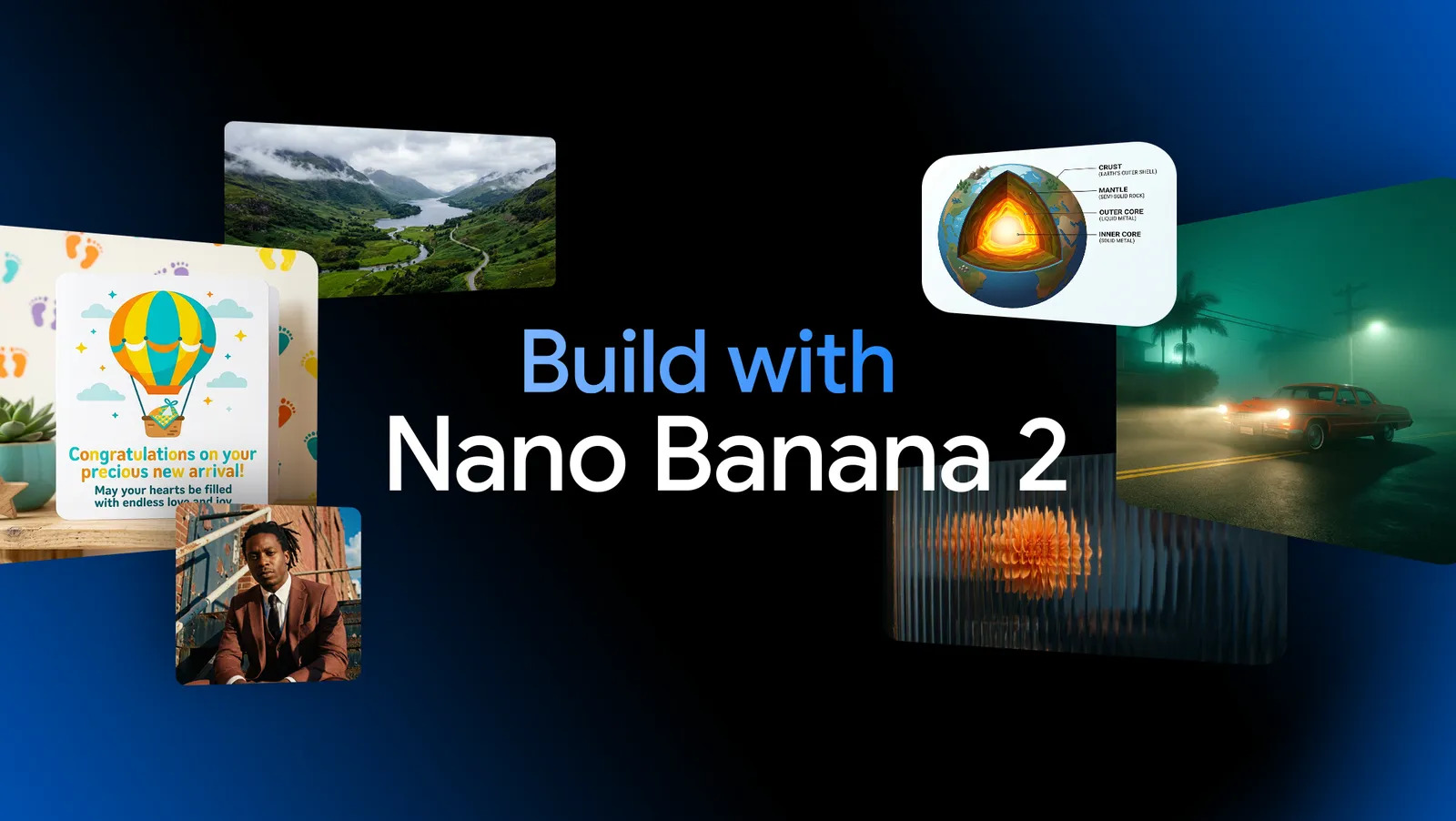
Nano Banana 2 combines Flash speed with richer world knowledge, improved text rendering, localization, stronger prompt following, broader aspect-ratio support, and better consistency controls.
That means the smartest way to use Nano Banana 2 is to build around its strengths. Use it for real places, real products, global campaigns, multilingual visuals, subject-consistent edits, and fast creative iteration.
Learn more about What is Nano Banana 2, and explore Nano Banana AI Generator yourself, try a prompt , test a concept, or turn one reference image into a whole series. That is where Nano Banana 2 starts to feel less like a demo and more like a serious creative tool.